
CSV Import
Map broker exports to Wealthfolio activities. File format, mapping, per-broker recipes, and troubleshooting.
Last updated
The CSV importer takes broker statements (or any spreadsheet) and turns each row into a Wealthfolio activity. Most brokers don’t follow the same column names, so the importer walks you through a mapping step that aligns their columns to ours. Mappings are saved per account, so subsequent imports for that broker are one click.
Tired of importing CSVs? With Wealthfolio Connect Essentials, supported brokers sync automatically, so new activities and holdings arrive without an export.
See how brokerage sync works →
1 · The CSV format at a glance
Wealthfolio’s native CSV format:
date,symbol,instrumentType,quantity,activityType,unitPrice,currency,fee,tax,amount,fxRate,subtype
2024-01-15,MSFT,EQUITY,10,BUY,380.50,USD,4.95,0,3809.95,,
2024-02-01,MSFT,EQUITY,,DIVIDEND,,USD,0,15,85,,
2024-02-15,,,,DEPOSIT,,USD,0,0,1000.00,,
2024-04-01,VOO,EQUITY,0.25,DIVIDEND,200.00,USD,0,0,50.00,,DRIP
2024-05-01,AAPL,EQUITY,5,SELL,100.00,USD,0,0,500,,SELL_SHORT
2024-05-15,AAPL,EQUITY,2,BUY,95.00,USD,0,0,190,,BUY_TO_COVER
2024-06-01,TD.TO,EQUITY,10,BUY,85.00,CAD,9.99,0,859.99,,
You don’t have to match this format exactly. The importer does the mapping for you, and
only the required columns below must be present. Negative values, currency symbols
($, £, €), thousands commas, and parentheses are parsed automatically — no manual
cleanup needed.
Required columns
Investment imports require these five column mappings. Releases before 3.10 also require
an amount mapping. Individual cash rows can leave symbol, quantity, and price blank.
Cash-only account imports require just date, activityType, and amount.
| Field | What it is |
|---|---|
date | Trade or transaction date. ISO-8601 (2025-03-15) preferred; common locale formats are recognized. |
symbol | Ticker (AAPL, RY.TO, IWDA.AS). Leave blank for pure cash activities — the activity type identifies them. |
quantity | Shares (positive number). Up to 8 decimal places for fractional shares. Leave blank for plain cash rows. |
activityType | One of the supported activity types. |
unitPrice | Price per unit in the activity currency. Leave blank for plain cash rows. |
Optional columns
| Field | What it is |
|---|---|
amount | Final cash paid or received, including fees and taxes. In 3.10 or newer, investment imports can leave it out: BUY and SELL totals are calculated. Cash, income, and split rows still need it. |
currency | Activity currency (ISO 4217, e.g. USD, EUR, CAD). When omitted, a matched asset’s currency can be used before the account currency. Check the preview or map it explicitly. |
fee | Fee or commission included in the final amount. Do not deduct it again. |
tax | Tax or withholding included in the final amount. |
instrumentType | Asset type for a new security, e.g. EQUITY, CRYPTO. Helps Wealthfolio classify symbols it hasn’t seen before. |
isin | ISIN identifier — an alternative to the ticker for matching a security. |
fxRate | Exchange rate from activity currency to account currency. For a USD activity in a CAD account, 1.36 means USD 1 = CAD 1.36. |
subtype | Refines the activity type, e.g. DRIP, STAKING_REWARD, POSITION_OPEN, POSITION_CLOSE, SELL_SHORT, BUY_TO_COVER, BTO, STO, BTC, STC. |
comment | Free-text note. Useful for cross-referencing your broker statement. |
account | Destination account per row, if you’re not importing everything into the single selected account. |
How amounts are imported
Map the broker’s final or net total to amount when available. Enter prices, fees,
taxes, and amounts in the activity currency, even if the security is quoted in another
currency. The activity type normally determines whether cash comes in or goes out.
A supplied FX rate can change which currency balance a trade uses; see
the cash currency rules.
| Row | What happens |
|---|---|
| BUY or SELL with no amount | Wealthfolio calculates quantity × price × asset multiplier, then adds fees and taxes for BUY or subtracts them for SELL. |
| Trade amount matches the gross value before charges | It is converted to the final total. For example, a $1,000 BUY with a $5 fee becomes $1,005. |
| Trade amount differs from the calculated total | Your amount is kept and the row is marked Needs review. Check it against your statement. |
| Plain cash or income | Supply the final amount. Quantity and price cannot replace it. This includes CREDIT and cash transfers. |
| Standalone FEE or TAX | A missing amount can be filled from the charge field. A legacy zero amount with a charge can also be filled. |
| DRIP, Staking Reward, or Dividend in Kind | Supply the reinvested value, quantity, and price. A missing value can be calculated from complete share/token details. Wealthfolio records income and acquisition. They cancel in the same currency when no FX rate is supplied. |
| Security transfer | Supply the security and quantity, plus cost details where needed. Its position value is not a cash payment. |
| SPLIT | Amount is the split ratio, such as 2 for a 2-for-1 split. |
A missing final amount that cannot be calculated leaves the imported row as Draft with Needs review. It does not affect balances until completed and Posted. A conflicting amount can remain Posted and affect balances while awaiting review.
For reinvestments in a currency different from the account currency, a supplied FX rate can leave income in one cash balance and pay the purchase from another. If there was no currency conversion, leave that rate blank. See the reinvestment FX note.
A trade amount of 0 is an explicit zero, not a blank cell. Leave the cell blank if
you want Wealthfolio to calculate it. Review any flagged zero totals.
See Activity Fields for the full reference.
Holdings-mode CSV (balance snapshots)
Holdings-mode accounts (where you track period-end balances instead of every trade) use a simpler snapshot format:
date,symbol,quantity,avgCost,currency
2024-03-31,AAPL,50,171.48,USD
2024-03-31,VOO,20,468.50,USD
2024-03-31,$CASH,5000,,USD
2024-06-30,AAPL,55,210.62,USD
Required: date, symbol, quantity. Optional: avgCost, currency. For cash, use
$CASH as the symbol — the quantity is the cash amount.
2 · Importing step by step
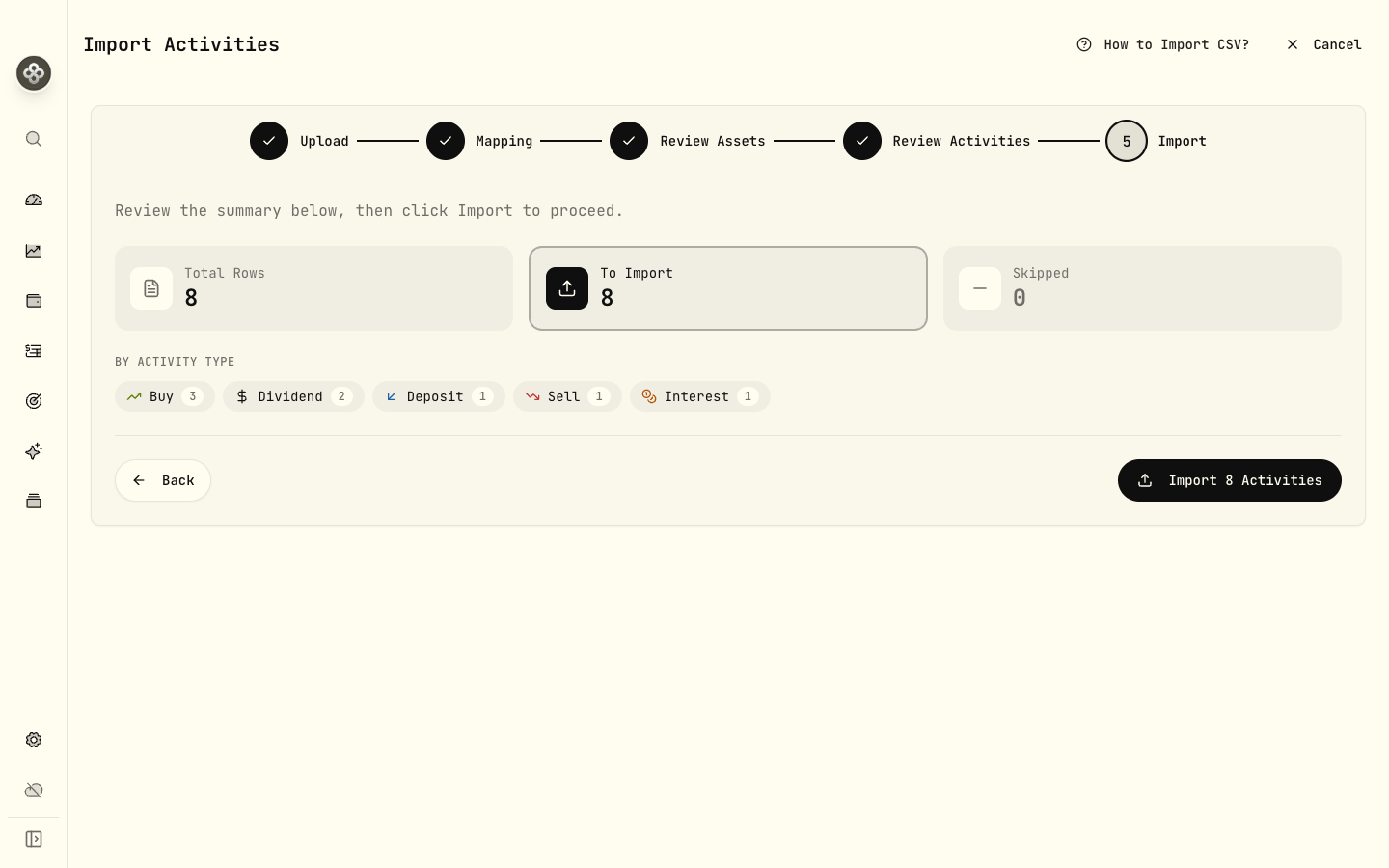
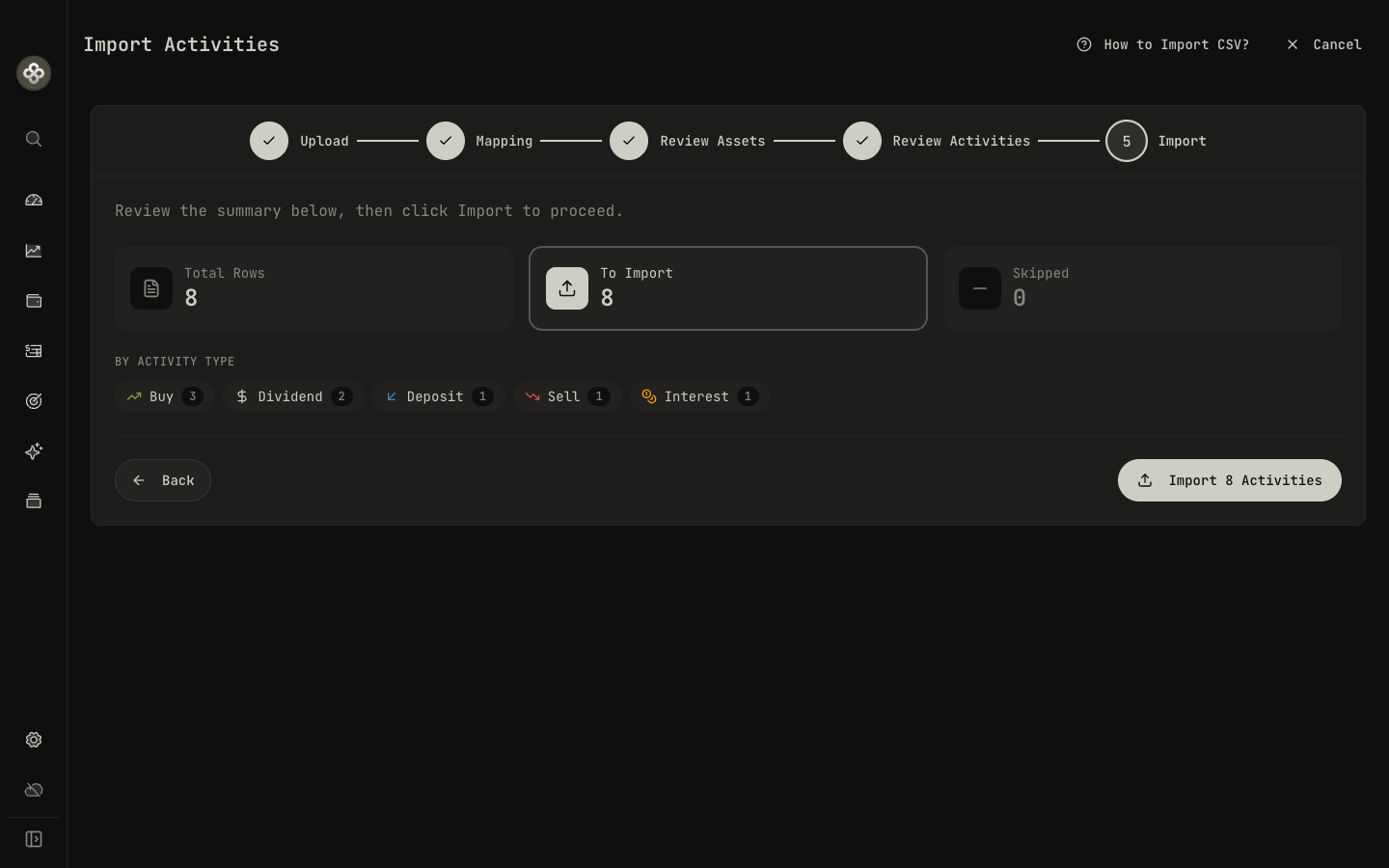
The importer is a five-step wizard:
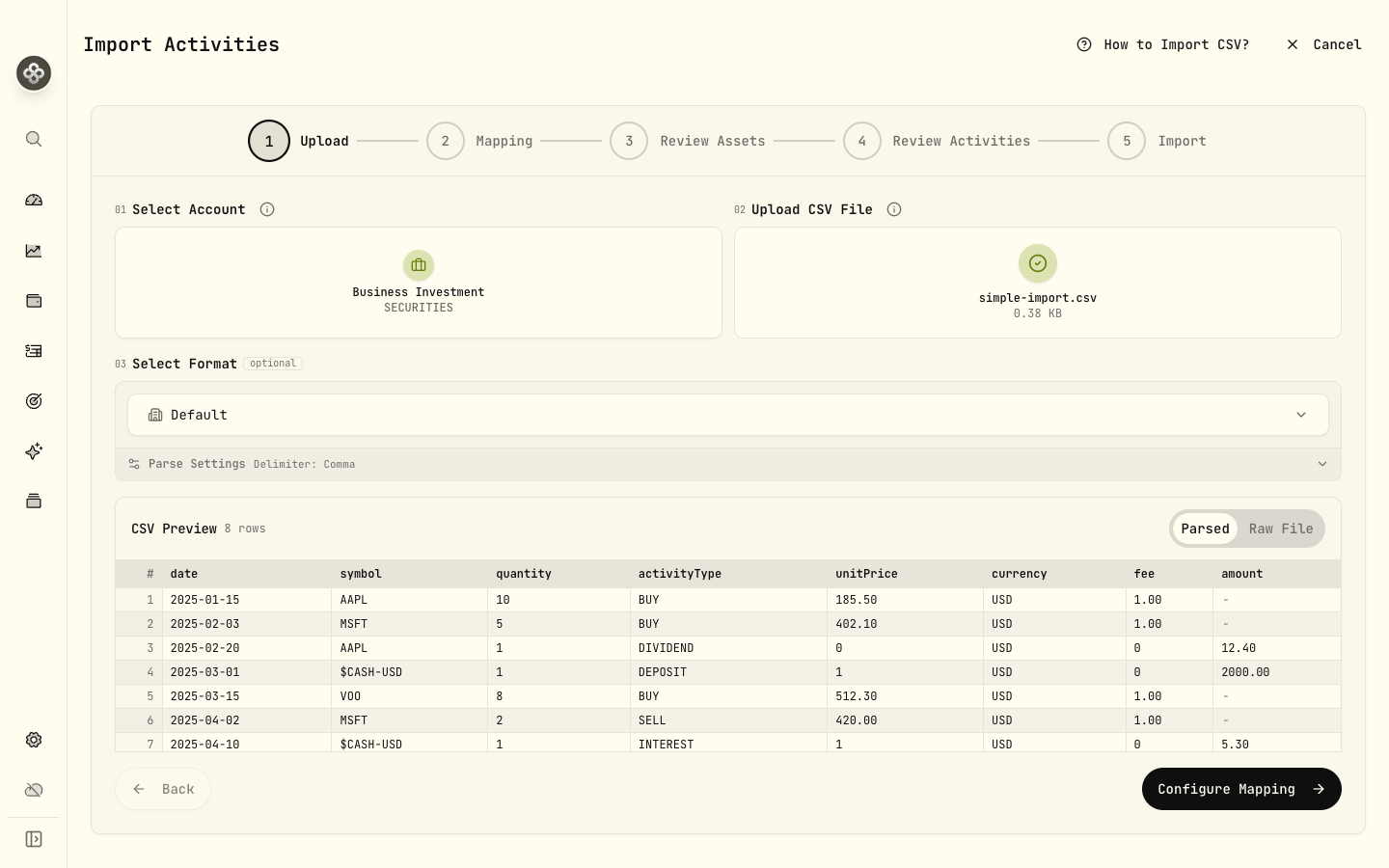
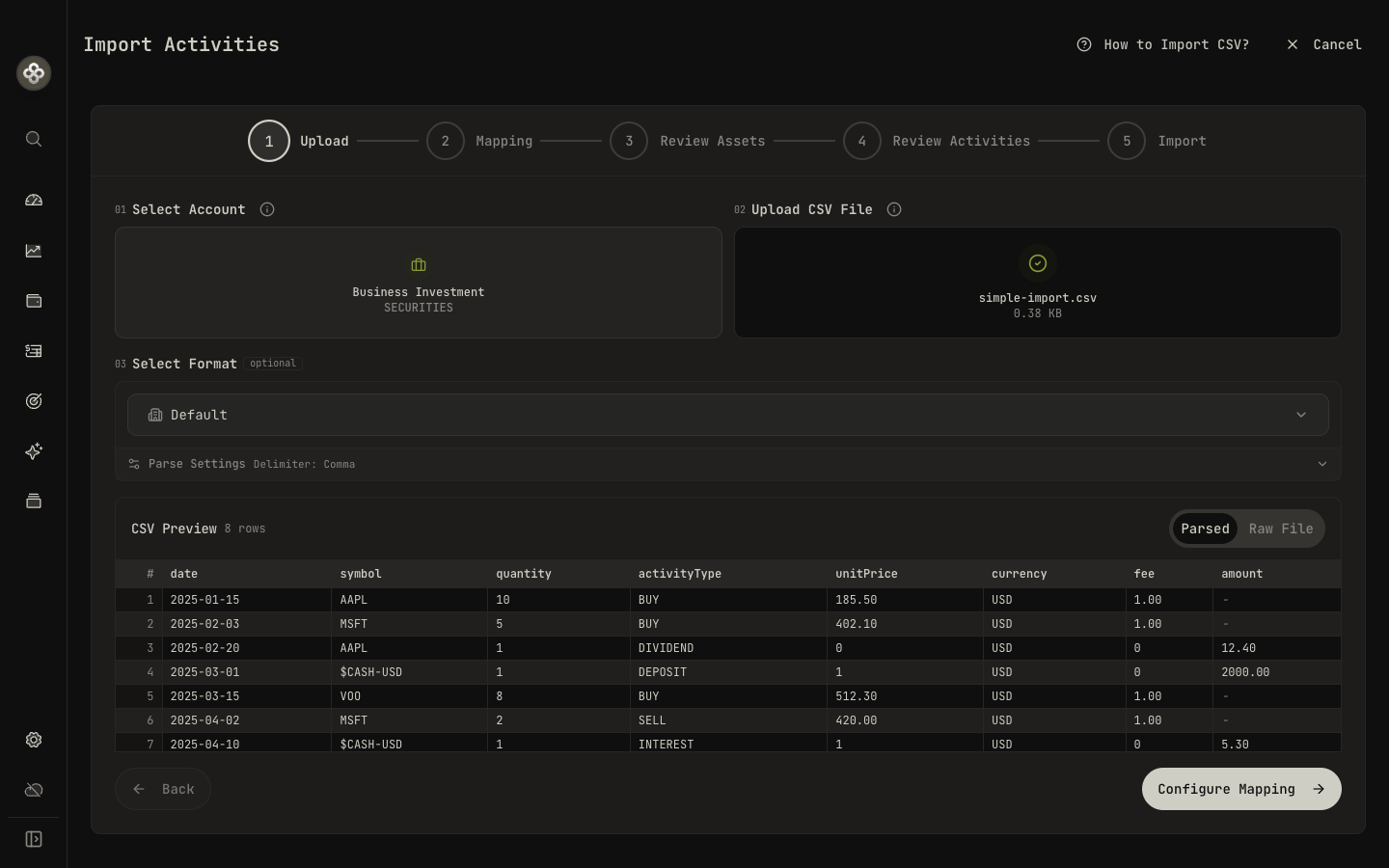
- Upload. Select the destination account (mappings are saved per account), drop your CSV file (or click to browse), and optionally pick a saved format. Wealthfolio shows a live preview of the parsed rows.
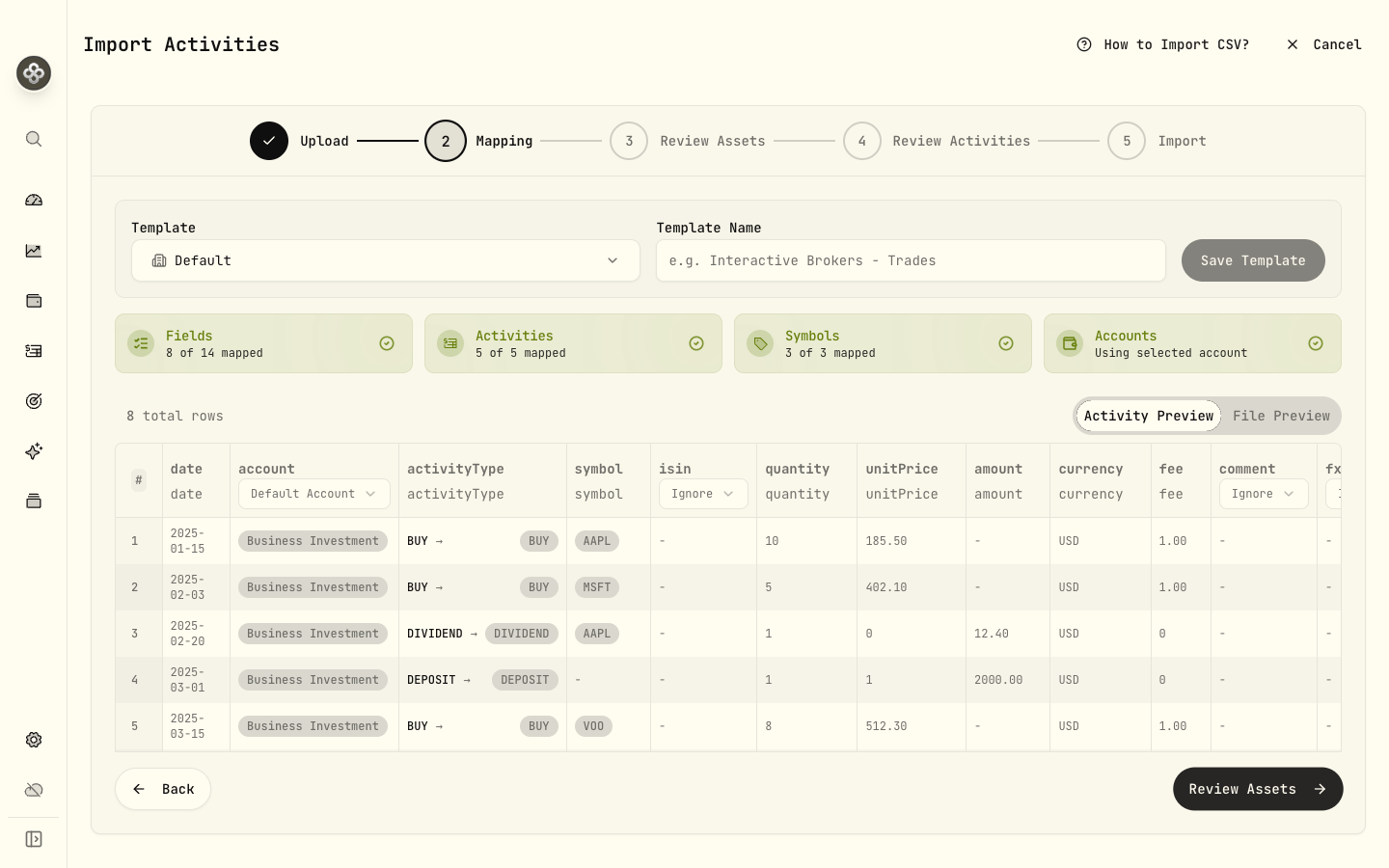
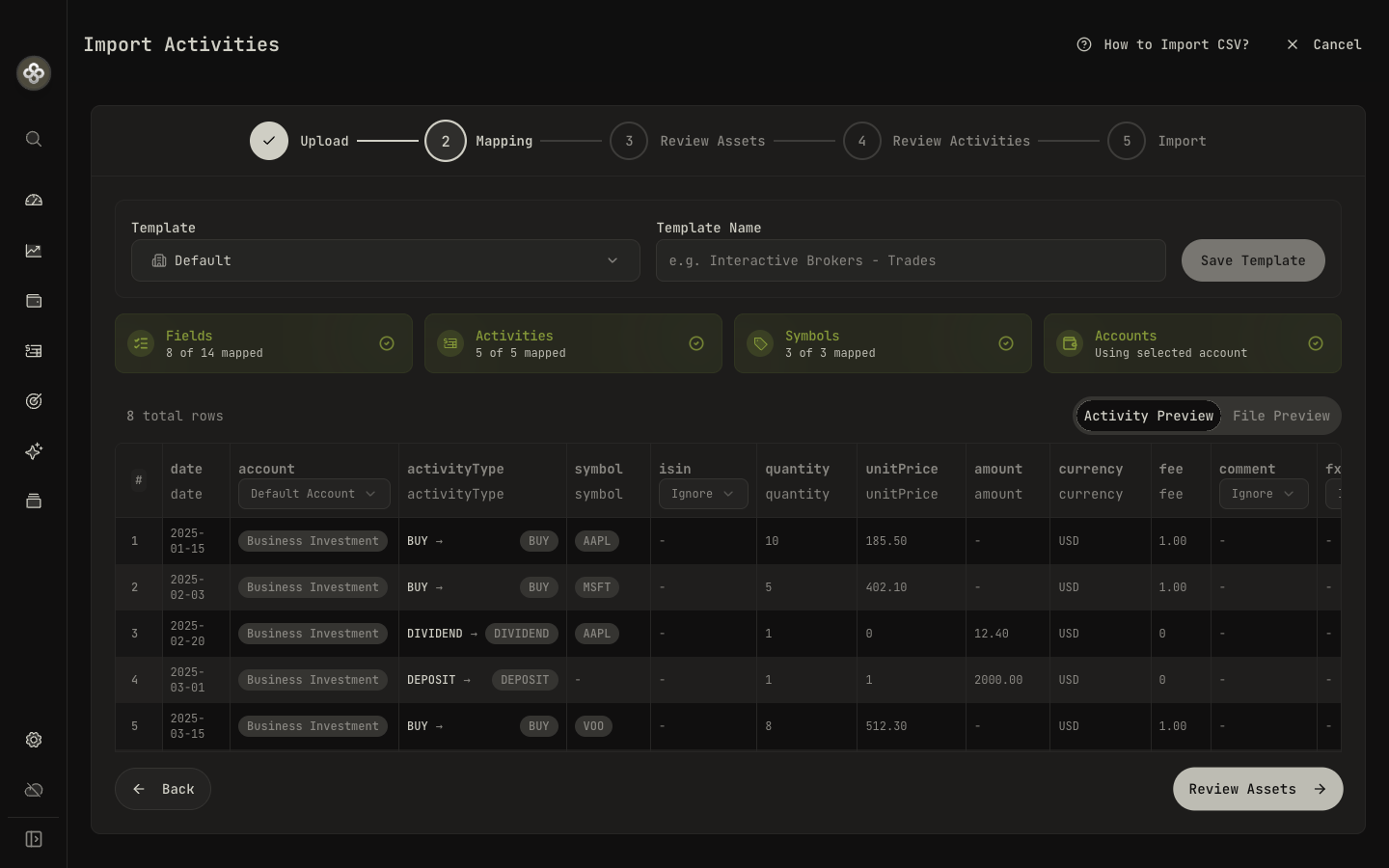
- Mapping. Align each CSV column to a Wealthfolio field, map every broker activity
word to an activity type (e.g. “Buy” →
BUY, “Dividend Reinvestment” →DIVIDENDwith the DRIP subtype, “Sell Short” →SELLwith Position Open), and normalize symbols if needed (e.g.MSFT.NASDAQ→MSFT). The importer auto-guesses what it can — fix anything still flagged. Save the result as a reusable template. - Review Assets. Confirm any new symbols the file introduces, so prices and classifications resolve correctly.
- Review Activities. Preview every row before import, with duplicates flagged.
- Import. A summary shows how many rows will be imported versus skipped, broken down by activity type. Confirm to finish — the mapping is saved for next time.
3 · Broker term glossary
Brokers use their own vocabulary. Map these to Wealthfolio activity types in the import step:
| Broker term | Wealthfolio activity type |
|---|---|
| Buy, Purchase, Bought | BUY |
| Sell, Sold, Sale, Disposal | SELL |
| Sell Short, Short Sell | SELL with Position Open / Sell Short |
| Buy to Cover, Cover Short | BUY with Position Close / Buy to Cover |
| Buy to Open, BTO | BUY with Position Open |
| Sell to Open, STO | SELL with Position Open |
| Buy to Close, BTC | BUY with Position Close |
| Sell to Close, STC | SELL with Position Close |
| Dividend, Cash Dividend, Ordinary Dividend | DIVIDEND |
| Dividend Reinvestment, DRIP, Reinvested Dividend | DIVIDEND with DRIP subtype |
| Interest, Credit Interest, Cash Interest | INTEREST |
| Staking Reward, Staking Income | INTEREST with Staking Reward subtype |
| Deposit, Funds Received, ACH In, Wire In | DEPOSIT |
| Withdrawal, Funds Sent, ACH Out, Wire Out | WITHDRAWAL |
| Journal, Internal Transfer, ACATS In/Out | TRANSFER_IN / TRANSFER_OUT |
| Sweep In, Sweep Out | Often safe to ignore; these are intra-account. |
| Stock Split, Forward Split, Reverse Split | SPLIT |
| Spin-off, Stock Dividend | DIVIDEND with Dividend in Kind subtype |
| Account Fee, Custody Fee, Advisory Fee | FEE |
| Withholding Tax, Tax Adjustment | TAX |
| Bonus, Sign-up Reward, Referral | CREDIT with Bonus subtype |
| Maker Rebate, Volume Discount | CREDIT with Trading Rebate subtype |
| Fee Refund, Fee Reversal | CREDIT with Fee Refund subtype |
| Option Expiration, Expired Worthless | ADJUSTMENT with Option Expiry subtype |
| Opening Balance, Starting Position | TRANSFER_IN with External flag |
| Position Closed (no proceeds), Write-off | TRANSFER_OUT with External flag |
Full reference: Activity Types.
4 · Importing cash-only / bank accounts
Cash-only imports do not need a symbol, quantity, or unit price:
date,activityType,currency,amount
2025-01-15,DEPOSIT,USD,1500.00
2025-01-20,INTEREST,USD,3.42
2025-02-01,WITHDRAWAL,USD,500.00
For cash rows in a mixed investment file, leave the symbol blank. Older files using
$CASH-USD or another $CASH-<CCY> symbol are also supported.
5 · Broker recipes
Quick-start mappings for the most-common brokers. If your broker isn’t listed, the mapping step will still walk you through it, and you can open a PR to add a recipe.
For reinvestments reported as two rows, use a plain DIVIDEND plus BUY, or combine the details into one DIVIDEND with DRIP subtype. Do not import both a DRIP activity and its separate buy: DRIP already creates the purchase.
Charles Schwab
Export from History → Export → CSV (transactions, not statements).
- If the file starts with a description such as “Transactions for account…”, use the upload settings to skip that row, or remove it so the column headers come first.
- Action →
activityType. Map “Buy” →BUY, “Sell” →SELL, “Cash Dividend” →DIVIDEND, “Reinvest Dividend” → plainDIVIDEND, “Reinvest Shares” →BUY, “Bank Interest” →INTEREST, “MoneyLink Transfer” →DEPOSITorWITHDRAWALdepending on sign. - Symbol →
symbol. Cash rows can leave the symbol blank. - Quantity →
quantity. Cash rows can leave this blank. - Price →
unitPrice. Check that it uses the same currency as the final amount. - Fees & Comm →
fee. - Amount →
amount. Use the final cash total including charges.
Fidelity
Export from Accounts → History → Download.
- Run Date →
date. - Action →
activityType. “YOU BOUGHT” →BUY, “YOU SOLD” →SELL, “DIVIDEND RECEIVED” →DIVIDEND, “REINVESTMENT” →BUYpaired with a plain dividend, “INTEREST EARNED” →INTEREST. - Symbol →
symbol. - Quantity →
quantity(use absolute value; sign is handled by activity type). - Price ($) →
unitPrice. - Commission ($) + Fees ($) → sum into
fee. - Amount ($) →
amount. Strip$and parentheses (Fidelity uses(…)for negatives).
Vanguard
Vanguard exports two tables in one CSV (trade history + position summary). Delete the second table before importing; keep only the trade-history block plus its header.
- Trade Date →
date. - Transaction Type →
activityType. “Buy” →BUY, “Sell” →SELL, “Dividend” →DIVIDEND, “Reinvestment” →BUYpaired with a plain dividend. - Symbol →
symbol. For mutual funds Vanguard uses ticker-like codes (e.g.VTSAX). - Shares →
quantity. - Share Price →
unitPrice. - Principal Amount →
amountonly if it is the final total. If it is before charges, include fee and tax details so the trade can be converted to final.
Interactive Brokers (IBKR)
Use the Flex Query export with the Trades and CashTransactions sections.
- TradeDate / DateTime →
date. - Buy/Sell →
activityType. “BUY” →BUY, “SELL” →SELL. - Symbol →
symbol. IBKR symbols are usually clean; ETFs may include exchange suffixes that work as-is. - Quantity →
quantity. - TradePrice →
unitPrice. - IBCommission →
fee(already negative; strip the sign or wrap inabs()). - Currency →
currency. - Map the final cash total to
amount, in that same currency. If you only have gross trade proceeds, include the commission and tax fields and check the final preview. - For cash transactions (
CashTransactionssection): map Type toDIVIDEND,INTEREST,DEPOSIT,WITHDRAWAL, orTAX.
Robinhood
Robinhood doesn’t expose CSV downloads natively. Use the official tax form export (annual) or a third-party tool. After exporting:
- Activity Date →
date. - Instrument →
symbol(Robinhood uses bare tickers likeAAPL, notAAPL.US). - Trans Code →
activityType.Buy→BUY,Sell→SELL,CDIV→DIVIDEND,INT→INTEREST,ACHdeposit/withdrawal →DEPOSIT/WITHDRAWAL. - Quantity →
quantity. - Price →
unitPrice(strip$). - Amount →
amount(strip$and parentheses).
Trading 212
Export from History → Export → CSV.
- Time →
date. - Action →
activityType. “Market buy” / “Limit buy” →BUY, “Market sell” / “Limit sell” →SELL, “Dividend” →DIVIDEND, “Deposit” →DEPOSIT, “Withdrawal” →WITHDRAWAL, “Card debit” → ignore orWITHDRAWAL, “Interest on cash” →INTEREST. - Ticker →
symbol. Trading 212 uses LSE-style suffixes for non-US tickers. - No. of shares →
quantity. - Price / share →
unitPrice. Note the currency column. - Currency (Price / share) →
currencyonly when price, amount, fee, and tax all use that currency. Do not mix an asset-currency price with an account-currency total. - Total (in your account currency) →
amountwhen all monetary fields on that row are in account currency. Cash rows can use this total directly with its currency. - Currency conversion fee → include in
fee, expressed in the activity currency. Check that it is included in the final total.
Questrade
Export from Activities → Download CSV with the Detailed option.
- Settlement Date or Transaction Date →
date. - Action →
activityType. “Buy” →BUY, “Sell” →SELL, “DIV” →DIVIDEND, “DIS” →INTEREST, “DEP” →DEPOSIT, “WDR” →WITHDRAWAL, “TFI” / “TFO” →TRANSFER_IN/TRANSFER_OUT. - Symbol →
symbol. Questrade prefixes TSX tickers:RYbecomesRY.TOfor Wealthfolio. - Quantity →
quantity. - Price →
unitPrice. - Commission →
fee. - Net Amount →
amount.
Bank of America (cash / checking)
Cash/checking imports use the transaction importer. When importing into a cash account, you don’t need a symbol column.
- Date →
date. - Description →
comment, oractivityTypeonly if the values are broad labels like “Deposit”, “Withdrawal”, “Payment”, or “Purchase”. - Transaction Type / Type →
activityType, if the export provides one. - Amount →
amount. Wealthfolio imports cash amounts as positive values. Sign-basedDEPOSIT/WITHDRAWALinference is automatic only for supported generic cash movement labels such asTRANSFER,TRANSFER_TF, andMoneyMovement; there is no separate Conditional Mapping configuration. If the export has only arbitrary merchant descriptions plus an amount, add an explicitactivityTypecolumn before importing, or split the file into positive and negative rows.
Guideline / Gusto 401(k)
Guideline’s CSV has no symbol column, only fund names and dollar amounts. Two paths:
- Map fund names to symbols. Find each fund’s ticker (e.g. “Vanguard Total Stock
Market Index” →
VTSAX) and use the importer’s symbol-mapping step to translate. - Track at the dollar level. Treat the whole 401(k) as a single custom asset (e.g.
MY-401K) and recordBUYactivities at $1 per “share” with quantity = dollars contributed. Update the asset’s price manually with your statement value.
6 · Duplicate detection
Wealthfolio fingerprints each row by date + symbol + quantity + unit price + amount + activity type. Exact matches are flagged as duplicates in the preview and skipped on import. The final Import step shows a To Import vs Skipped count before you confirm.
To correct an existing activity, edit that activity or remove the incorrect row before re-importing it. Changing a CSV total can make it look like a new activity, leaving both versions in the account. Check the preview to avoid counting the same event twice.
7 · Troubleshooting
”Missing required field: symbol”
Check the activity type. Trades, security transfers, and asset income need a security. Plain cash rows can leave the symbol blank. Investment files still need a mapped symbol column even when some rows are cash-only.
”$ is not a valid number”
Check the number format selected during mapping. Currency symbols, thousands separators, and parentheses are supported, but mixed formats or nonnumeric text may need correction. Compare the preview with the original file.
”Unknown activity type”
The mapping step missed one. Go back and map every unique value in your activityType
column to one of Wealthfolio’s types. If your broker uses a term not in the
glossary, pick the closest semantic match.
”Amount is required for cash activity”
Plain cash activities need the final amount. A missing amount cannot be inferred from placeholder quantity and price values. See How amounts are imported above for standalone charges, reinvested income, and security transfers.
My DRIP rows have no share count
Check your statement for the reinvested quantity and price. With those details, either use one DRIP activity or a plain dividend plus a separate BUY. If you do not yet have the share details, keep the reinvestment as Draft while you obtain them. Do not invent an external transfer, since that can change contributions and returns.
My transfers don’t show on both accounts
The CSV import only writes to the selected account at the top of the import flow. To
record a transfer between two Wealthfolio accounts, import the TRANSFER_OUT row on the
source account, then switch accounts and import the TRANSFER_IN row on the destination.
Same-day timestamps: give the OUT an earlier time than the IN.
Dates are getting parsed wrong
Force ISO format in your CSV (2025-03-15). If you must use DD/MM/YYYY or
MM/DD/YYYY, the importer asks you to pick one in the mapping step. Choose the format
your broker uses, not the format your locale prefers.
Quotes inside text fields breaking the parse
Use a CSV writer (Excel “Save As CSV UTF-8” works) rather than hand-editing. Escape
embedded quotes by doubling them: "She said ""hi""". Or remove them; Wealthfolio
doesn’t need notes to import.
8 · Reusing mappings
Mappings are saved per account, not per file. The second time you import a CSV from the same broker into the same account, the importer pre-fills every choice. You only see the mapping screen if columns change or new activity types appear.
To reset a mapping: import a different file into the same account and pick Reset mapping in the top-right of the mapping step.
Next step: Activity Types walks through every activity type and subtype in detail. Handy when you’re picking which broker term maps to which Wealthfolio category.